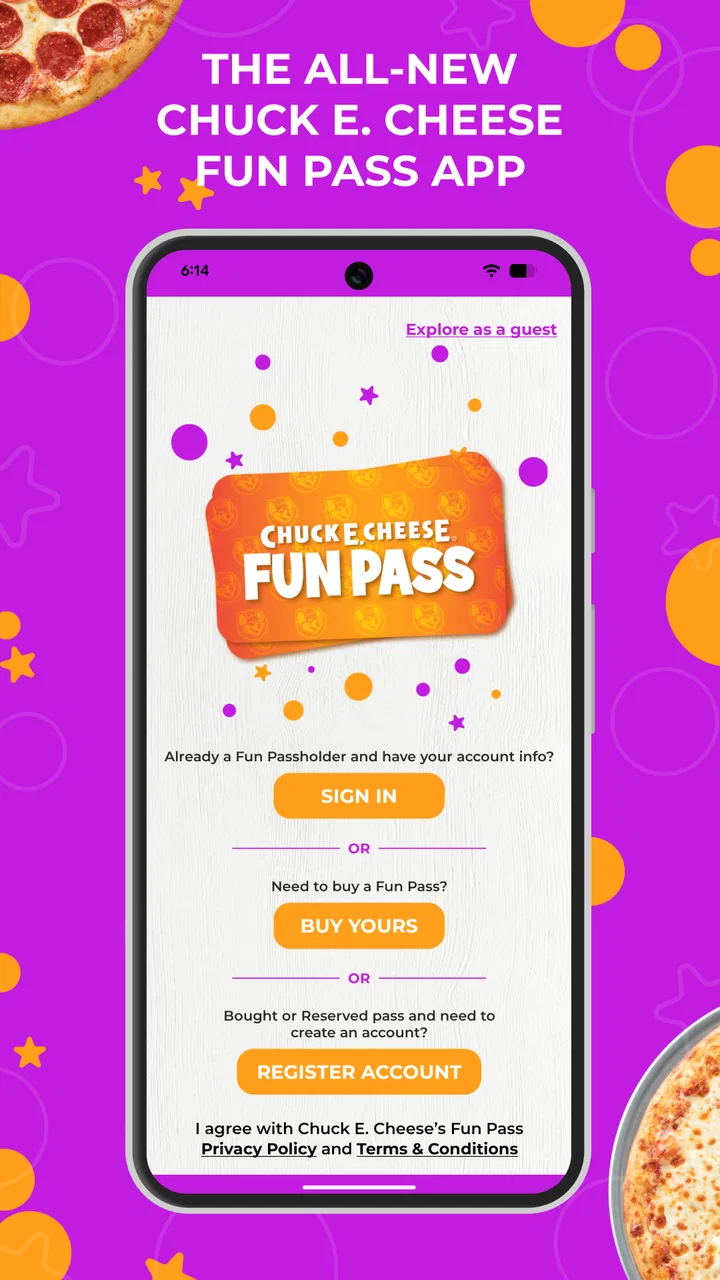
Chuck E. Cheese Fun Pass
- 4.6
- Rating
- 1.00M
- Installs
- Free
- Price

 Analysis by App-foxy
Chuck E. Cheese Fun Pass is the kind of Food & Drink app I would keep on my phone when a family visit is already part of the plan. I would not install it expecting a complete restaurant guide, a general meal-planning tool, or a replacement for every way of arranging a day out. Its value is much narrower and more practical: it brings Chuck E. Cheese ordering and member-style perks into one place, which can make a visit easier when I want to handle food before the children are ready to eat.
After using it, my overall view is positive but specific. The app is most useful when I already know I am going to Chuck E. Cheese and want a direct route to an order or available promotional benefits. It is less compelling for someone who visits rarely, prefers to decide everything at the restaurant, or wants a broad comparison of nearby food options. That distinction matters because the app itself is free, while its usefulness depends heavily on how often Chuck E. Cheese fits into my real routine.
What the app is really good at during a Chuck E. Cheese visit
The clearest strength is focus. Rather than surrounding the main task with unrelated restaurant content, Chuck E. Cheese Fun Pass is built around the Chuck E. Cheese experience. The developer is Chuck E. Cheese, and the app’s role is easy to understand: I open it when I want to arrange food online and look for exclusive free perks connected with the brand.
You May Also Like

 Blood Strike: 2.5 Anniversary
Blood Strike’s Loadouts Turn Every Drop Into a Tactical Gamble
A close look at Blood Strike’s custom loadouts: how fast access to signature weapons reshapes its battle royale rhythm, rewards preparation, and narrows the gap between fights.

 Pandora - Music & Podcasts
Pandora’s Music Is Easy to Start, but Harder to Recover
Pandora’s strength is its low-effort path from a seed to a station. Its weak spot is how much confidence it asks you to place in connection, setup, and quiet recovery.

 8 Ball Pool
 Is Built on Rivalries, Rematches, and Routine
A close look at the rivalries, rematches, shared routines, and unanswered safety questions that turn a quick pool match into a persistent mobile community.

 Samsung Music
’s Quiet Strength Is Playing What You Already Own
Its reach comes less from spectacle than from dependable access to a personal library. That simplicity is both the app’s strongest retention engine and its ceiling.

 AccuWeather: Weather Radar
AccuWeather Review: A Quick, Clear Forecast for Everyday Decisions
For everyday plans, the best forecast is the one you can understand quickly. AccuWeather makes rain timing, radar, and local conditions easy to act on, with a few trade-offs.

 Hill Climb Racing
Why Hill Climb Racing Still Turns Crashes Into One More Run
A tiny car, a bumpy hill and one more upgrade: Hill Climb Racing keeps resurfacing because its simple chaos makes every near-miss feel personal.
More From Our News Desk



That focus makes the app particularly convenient before a planned family outing. I can think through the visit at home instead of trying to make food decisions while children are distracted by games, music, and the general noise of the venue. Even when the order itself is simple, moving that decision earlier can reduce one small source of friction. For parents, that is often more valuable than a long list of extra functions.
One useful habit is to check the app before leaving, not only after arriving. I would review the ordering area and any available benefit before the family is already waiting for food. This gives me time to decide whether the digital route actually suits the visit. If the app presents an offer or perk that fits what I was going to buy anyway, it can improve the value of the outing without forcing me to change the whole plan.
The strongest reason to use it is preparation, not novelty. The app does not need to transform the Chuck E. Cheese experience to be worthwhile. Its practical job is to help me organize one part of that experience earlier and with less interruption. That is a modest promise, but it is also the part most likely to matter on a busy family day.
Ordering works best when I already know the occasion
I found the app easier to appreciate when I treated it as a pre-visit tool. If I already knew that the family was heading to Chuck E. Cheese, I could use the app with a clear purpose. I was not browsing aimlessly; I was checking whether ordering online and using a free perk made sense for that particular visit.
This is also where the app compares favorably with the usual alternative of making every decision in person. A restaurant counter can be perfectly adequate, especially for a spontaneous stop, but it may not be the calmest place to compare choices or coordinate a group. The app gives me a chance to make those decisions before the children are asking for games, before everyone is hungry, and before the visit becomes harder to organize.
There is a trade-off, though. A direct brand app is not the same as a general delivery or restaurant-discovery service. I would not use Chuck E. Cheese Fun Pass to compare several restaurants, find independent local food, or choose between unrelated dining options. Its advantage is direct access to Chuck E. Cheese, while a broader service wins when variety and cross-restaurant comparison matter more than brand-specific convenience.
Free perks can change the value of a planned visit
The perk element is more important than it may first appear. A free app with exclusive benefits can be useful when I am already spending time and money on a Chuck E. Cheese visit, because the benefit may help the outing feel more worthwhile. The sensible approach is to treat the perk as a bonus rather than the sole reason to install the app.
I would also check the details of any offer inside the app before relying on it. A benefit is only helpful if it applies to the visit I am planning and fits the order or activity I actually want. This is a small but important habit: I would not promise children an extra item or build the day around an offer until I had read the conditions shown in the app.
That workflow is one of the app’s less obvious strengths. It encourages me to separate the planning stage from the excitement of the visit. I can look at the available benefit, decide whether it is relevant, and then place an order only if the arrangement is clear. That is more reliable than assuming every promotion will apply automatically at the venue.
At the same time, I would not describe the perks as a reason for everybody to keep the app permanently installed. Their value depends on how often I return and whether the current benefit matches my needs. For a family that visits regularly, checking the app can become a sensible part of planning. For an occasional visitor, the benefit may be pleasant but not enough to justify another app on the phone.
A realistic family scenario
Imagine a Saturday visit planned around an afternoon birthday celebration. Before leaving home, I would open the app, check the ordering options, and see whether a current free perk fits the group’s plans. I could then decide whether to arrange food online or wait until arriving. If the children are already excited and the adults are managing coats, gifts, and transportation, having the food decision handled earlier could make the first part of the visit noticeably smoother.
The important point is not that the app removes every wait or guarantees a perfect visit. It does not replace judgment. I still need to make sure the selected arrangement suits the group, and I would keep the app’s offer details available rather than relying on memory. What it does provide is a more deliberate way to handle the food portion of a busy outing.
For a smaller family visit, I might use a different approach. If we were already nearby and had not planned to eat, walking in and deciding at the venue could be faster than opening an app, checking options, and arranging anything digitally. This is why I see the app as a planning advantage rather than a universal shortcut.
Where the experience falls short
I find the main trade-off is that this is a planning aid for a specific outing, not a tool that makes every part of a visit simpler. Before relying on it, I’d decide whether I want to settle food choices ahead of time or keep them flexible once the group arrives; that small choice can make the app feel either useful or like an extra step. From there, it’s worth considering how much convenience matters compared with the usual alternatives.
Its narrow purpose is also its main limitation
The biggest weakness is that the app is highly tied to one brand and one type of occasion. That is not a flaw in execution so much as a limitation in scope. I would not expect it to become a daily food companion, because most people do not need Chuck E. Cheese ordering and perks every day.
This narrow focus also means the app may feel unnecessary between visits. If I only go to Chuck E. Cheese once in a long while, I might prefer to install it when I am planning the outing and remove it later if phone space or app clutter matters to me. Someone who wants one application for all restaurants will probably be better served by a broader ordering service, even if that service does not offer the same brand-specific benefits.
Another point of friction is the need to verify the details of an offer instead of assuming that the headline tells the whole story. That is normal for promotional features, but it means I still have to pay attention. The app can make planning more convenient, yet it does not eliminate the need to read what I am selecting or confirm that it matches the visit.
I also would not judge the app solely by its rating. It has an average rating of 4.6 from around fourteen thousand ratings, which suggests that many users find it useful, and it has passed one million installs. Those figures are encouraging, but they do not change the basic question I would ask myself: do I visit Chuck E. Cheese often enough for this focused tool to earn a place on my phone?
Who should skip it
I would skip Chuck E. Cheese Fun Pass if I rarely visit Chuck E. Cheese and have no upcoming occasion in mind. I would also skip it if my main goal is comparing restaurants, arranging delivery from different businesses, or finding food unrelated to Chuck E. Cheese. In those situations, a general-purpose alternative is more flexible.
It may also be the wrong choice for someone who strongly prefers face-to-face ordering and does not care about digital perks. If the app’s main benefits do not affect how that person plans a visit, installing it adds another step rather than removing one. The fact that it is free makes trying it low-risk, but free does not automatically mean useful for every user.
Families who dislike making decisions in advance may find the app less valuable too. Its best use comes from checking the plan before the outing. If I want to arrive, look around, and decide everything spontaneously, the traditional in-person route may feel more natural and just as effective for that particular visit.
Who will get the most from it
I would recommend it most strongly to parents, caregivers, and families who visit Chuck E. Cheese more than once or who have a planned celebration coming up. It is also a good fit for anyone who likes to arrange food ahead of time and check for a brand-specific benefit before leaving home.
The app is rated for Everyone, so its audience is broad in terms of age suitability. In practice, the person getting the most value will usually be the adult organizing the visit, because that person is the one making the food decision and checking whether a perk fits the plan. Children may enjoy the destination, but the app’s practical value is mainly in the adult’s preparation workflow.
For a repeat visitor, I would use it as a quick pre-visit checklist: open the app, review the available ordering route, inspect the current benefit, and decide whether to use it. That routine is more useful than opening the app randomly. It keeps the tool connected to a real need instead of turning it into another notification or browsing habit.
Device support and the basic cost question
The app is free, which makes a trial straightforward for someone with an upcoming Chuck E. Cheese visit. Its current version is 2.5, and it requires an operating system version 10 or later. I would check that requirement before planning around it, especially if I am using an older phone or a device that is no longer updated regularly.
That requirement is not especially demanding for many current devices, but it can matter in a family where an older phone is used for restaurant planning. If the app cannot be installed on the device available for the outing, the online-ordering advantage disappears and I would simply use the venue’s other available route.
I also appreciate that the app is not presented as a paid purchase. Still, I would separate the absence of an app price from the cost of the actual visit. The application may help me find a perk or organize food, but it does not make the broader Chuck E. Cheese outing free. Keeping that distinction clear prevents the app from creating unrealistic expectations.
How it compares with ordinary alternatives
Compared with ordering directly at the venue, the app offers more time to prepare and a better chance to notice a relevant exclusive benefit before the visit becomes hectic. The counter remains better for spontaneous decisions, last-minute changes, or anyone who does not want to use a phone for the ordering process.
Compared with a general restaurant app, Chuck E. Cheese Fun Pass gives up variety in exchange for a more direct connection to Chuck E. Cheese. A general service is the better choice when I am choosing between several restaurants or want a single place to manage different food providers. This app is the better choice when the destination is already decided and the brand-specific perks matter.
Compared with simply using a mobile browser, a dedicated app can feel more convenient for repeat visits because it keeps the experience in one familiar place. The advantage is strongest when I return often enough to remember where the useful sections are. For a one-time visitor, a browser or in-person option may be sufficient, depending on what is available for that visit.
Small habits that make the app more useful
My first tip is to use it before the family leaves, not while everyone is standing at the entrance. That gives me a calmer moment to review the order and any perk. My second tip is to treat promotional benefits as conditional planning information: I would read what is shown, confirm that it fits the intended visit, and avoid making promises based on a quick glance.
My third tip is to decide whether the app is helping with a repeatable routine. If I use it only once and never expect another Chuck E. Cheese visit, there is little reason to keep thinking about it. If I organize regular family outings, I would make the app part of the preparation checklist alongside checking the time, transportation, and food needs.
A fourth useful trade-off is choosing between speed and flexibility. Ordering ahead may make a planned visit feel more organized, but an in-person decision leaves more room to react to the group’s changing appetite or schedule. I would choose the app when certainty is valuable and skip it when spontaneity is the main goal.
My verdict for families deciding whether to install it
Chuck E. Cheese Fun Pass succeeds because it stays close to a real need: arranging food and checking exclusive free perks for a Chuck E. Cheese visit. I like it most as a quiet preparation tool that an adult can use before the children’s attention shifts to the venue itself. It is not a broad food platform, and expecting it to be one would lead to disappointment.
The app has been available since May 7, 2021, and its continued presence, strong average rating, and more than one million installs show that the focused idea has found an audience. Those details support my positive impression, but the recommendation still depends on personal use. I would install it for an upcoming visit or keep it for recurring family outings, not simply because it belongs in the Food & Drink category.
My final recommendation is clear: families who already choose Chuck E. Cheese should try it, especially when planning a celebration or a busy group visit. The free download and age rating make it approachable, while the online ordering and perk-checking workflow can remove a little stress from the day. People who rarely visit, want restaurant variety, or prefer completely spontaneous ordering should stick with a general alternative or the in-person experience instead.
In my experience, this is a useful companion rather than an essential everyday app. When the destination is already decided, it can make preparation cleaner and potentially improve the value of the visit. When the destination is not Chuck E. Cheese, there is no reason to force it into the plan. That honest boundary is also what makes the app easy to recommend to the right person.
FAQs for Chuck E. Cheese Fun Pass
01What is the Chuck E. Cheese Fun Pass app?
The Chuck E. Cheese Fun Pass app is a digital companion for families visiting Chuck E. Cheese locations. It allows users to purchase and manage play passes, find nearby locations, and access exclusive deals and rewards. The app enhances the in-store experience by providing convenience and additional interactive features.
02How do I use the Chuck E. Cheese Fun Pass app in-store?
Once you've downloaded the app, you can purchase play time directly within it. Simply present your digital pass at the game kiosk to start playing. The app also tracks your play time and allows you to reload your pass, making the visit seamless and paperless.
03Are there any special offers or discounts available through the app?
Yes, the Chuck E. Cheese Fun Pass app frequently features exclusive offers and discounts. Users can receive notifications about the latest deals, which may include discounts on play passes or special promotions. It's a great way to save money and enjoy more fun during your visit.
04Is the Chuck E. Cheese Fun Pass app free to download and use?
The app is free to download on both Android and iOS platforms. However, purchasing play passes and accessing certain features may require payment. The app itself does not charge subscription fees, but it facilitates in-app purchases for game time and other services.
05Can I manage multiple accounts or passes within the app?
Yes, the app allows you to manage multiple passes, making it convenient for families. Parents can add and monitor play time for each child, ensuring everyone gets their fair share of fun. This feature is particularly useful for large families or group visits.
Pros
- User-friendly interface for easy navigation.
- Engaging games suitable for all ages.
- Seamless integration with rewards program.
- Frequent updates with new content.
- Low data usage for smooth performance.
Cons
- Limited offline functionality.
- In-app ads can be distracting.
- Some games require purchases.
- Occasional crashes on older devices.
- Limited parental control settings.

Chuck E. Cheese Fun Pass
Gallery